Scoperly Studio
A business system that lives in the distributor’s office: a server on site, desktop clients on the staff’s computers, and sync with the Scoperly cloud.
Released
- What it is
- Our own product, released
- Clients
- Windows
- Works on
- The office network
- Installs
- With nothing to install first

Screens of a demo company. The data is invented.
The task
The task was a business system for a distributor’s office that runs on the office network, with a server in the office and desktop clients on the staff’s computers, and stays in sync with the Scoperly cloud.
What we built
-
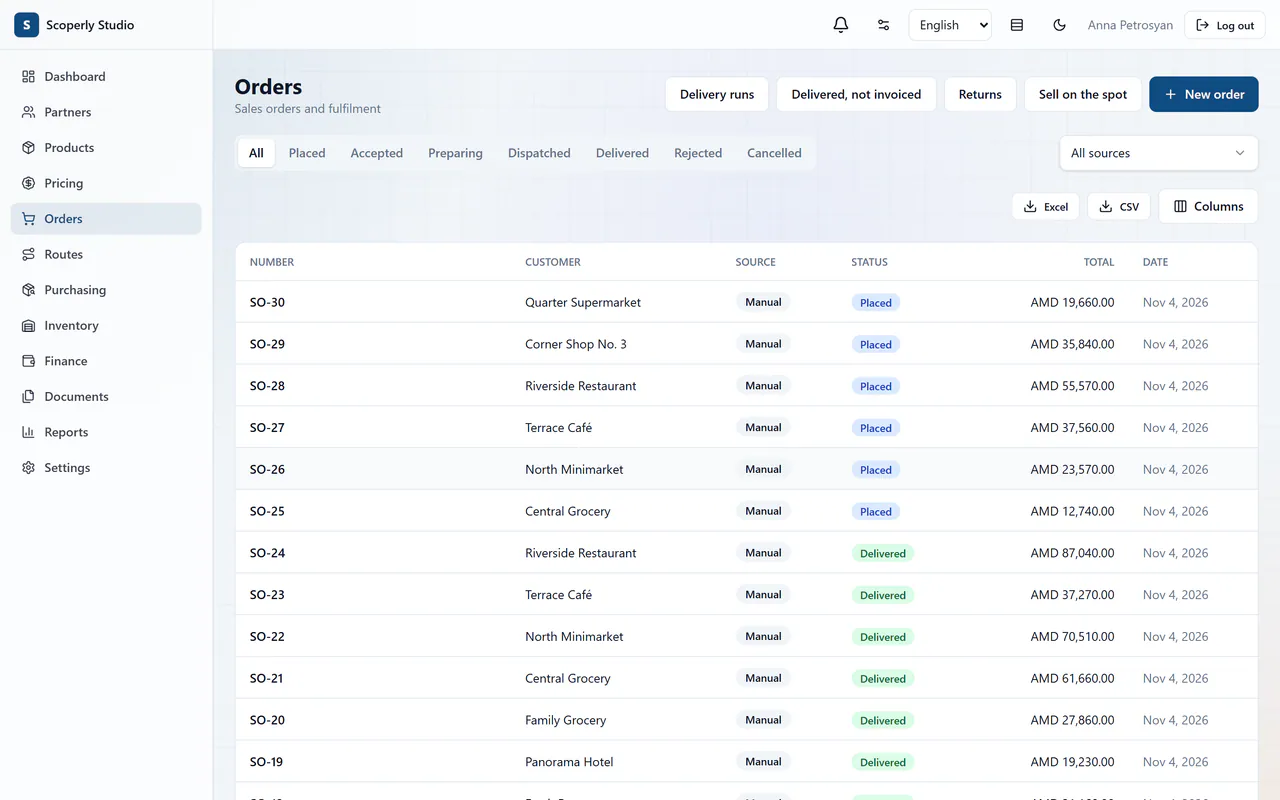
Orders and sales
Orders, delivery runs, returns and sales on the spot, with a status for everything on the way and exports to Excel and CSV.
-
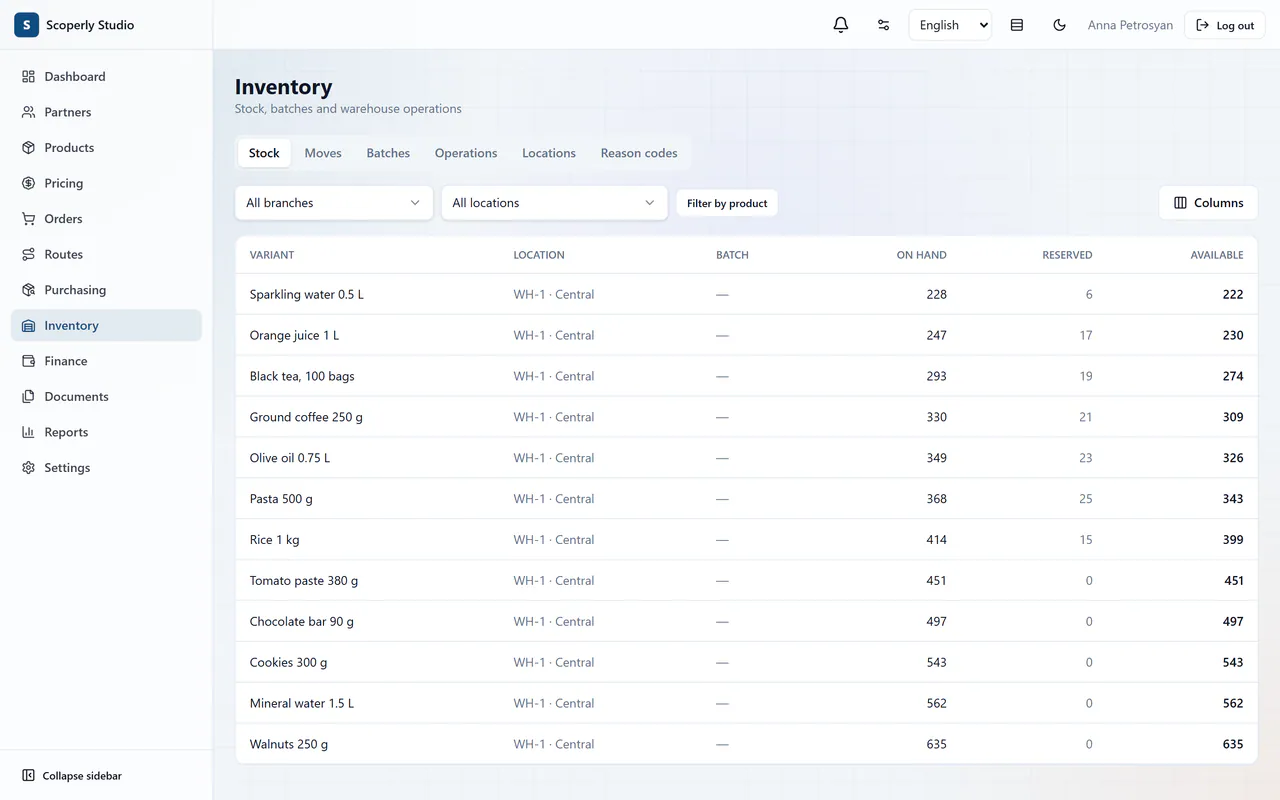
Inventory
Stock, moves, batches and warehouse operations, by branch and by location.
-
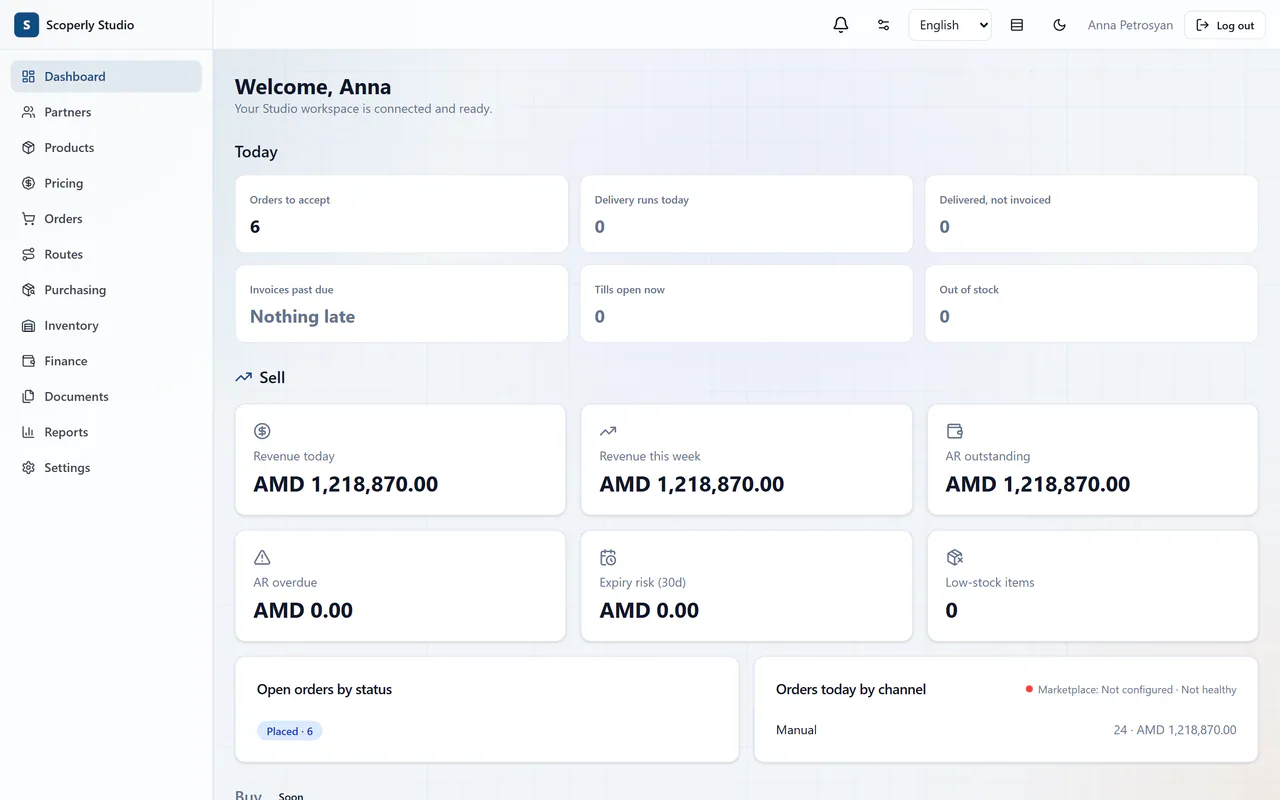
The day at a glance
What to accept, what is late and what has sold: the panel the morning starts from.


Everything it does
In the office
- An office server on Java and Spring Boot with PostgreSQL.
- Desktop clients on Tauri and React for Windows.
- The clients work with the server over the office network.
Updates and sync
- Installers and automatic updates.
- Sync with the Scoperly cloud through the Connect API.
How it is put together
Parts
- Office network: Desktop clients (Windows), Office server (API, PostgreSQL)
- Scoperly cloud (Connect API)
Connections
- Desktop clients work with the office server over the office network.
- The office server syncs with the Scoperly cloud over the internet, through the Connect API.
Engineering decisions
-
An installer with nothing to install first
The Windows server installer brings its own Java runtime and PostgreSQL, and every component is checked against a pinned checksum when it is built. Running it again repairs the installation.
-
Updates that can go back
The server makes a backup before an update. If the update fails, the previous version returns.
-
Sync that expects a bad connection
The office works on its own network. Studio pulls changes through the Connect API instead of waiting to be called, because offices sit behind routers.
-
Secrets stay encrypted
Keys in the settings are stored with AES-256-GCM, and the server refuses to start with a placeholder secret.
Technologies
By direction
- Desktop software Desktop clients for Windows that work with an office server on the office network.
- Integrations and automation Sync with the Scoperly cloud through the Connect API.
The other product
Scoperly
A B2B platform for distributors and wholesalers and their customers: shops, restaurants and procurement teams.
How it is built : ScoperlyTell us about your task
A few lines are enough. We will read them and reply with our questions.